

Blog
Dynamics 365 Business Central & Copilot 2026: How Medium-Sized Businesses Turn Everyday Data into Instant Insights
Written by
Tim Tucker /  January 13, 2026


Most Medium-Sized Business leaders don’t struggle with a lack of data. They struggle with decisions made one meeting too late.
ERP systems like Dynamics 365 Business central capture everything – cash flow movements, margin shifts, operational performance, and customer activity. Yet for many businesses, insights still arrive after the moment to act has passed.
Despite strong intent, the reality is challenging:
• A global survey of SMB executives shows 73% of highly data-driven companies use data for most decisions, yet 58% of organizations still base at least half of regular business decisions on gut feel rather than data.
• Only 28% of medium-sized businesses report strong data readiness for AI initiatives.
The result? Finance and operations teams fall back on spreadsheets, static reports, and delayed reviews. By the time insights are validated, opportunities are already gone.
This is exactly the gap Microsoft Copilot in Business Central is addressing in 2026.
With its latest evolution, Business Central Copilot is moving beyond task assistance and into something far more impactful: real-time insight discovery, embedded directly into everyday ERP workflows. At the center of this shift is Analysis Assist, a capability designed to change not how reports are built, but how decisions are made.
How Copilot in Business Central Has Evolved from an Assistant to an Insight Engine
The 2026 updates to Copilot in Dynamics 365 Business Central are less about adding new AI features and more about fixing a long-standing problem for medium-sized businesses: getting answers from ERP data without technical effort or delays.
Microsoft has repositioned Business Central AI Copilot as a core decision layer—not just a productivity helper. Instead of assisting with isolated actions, Copilot now helps businesses understand their performance across finance and operations in real time.
This evolution reflects a broader shift in ERP thinking.
“AI in ERP is no longer about automation alone. It’s about timing, trust, and decision clarity.”
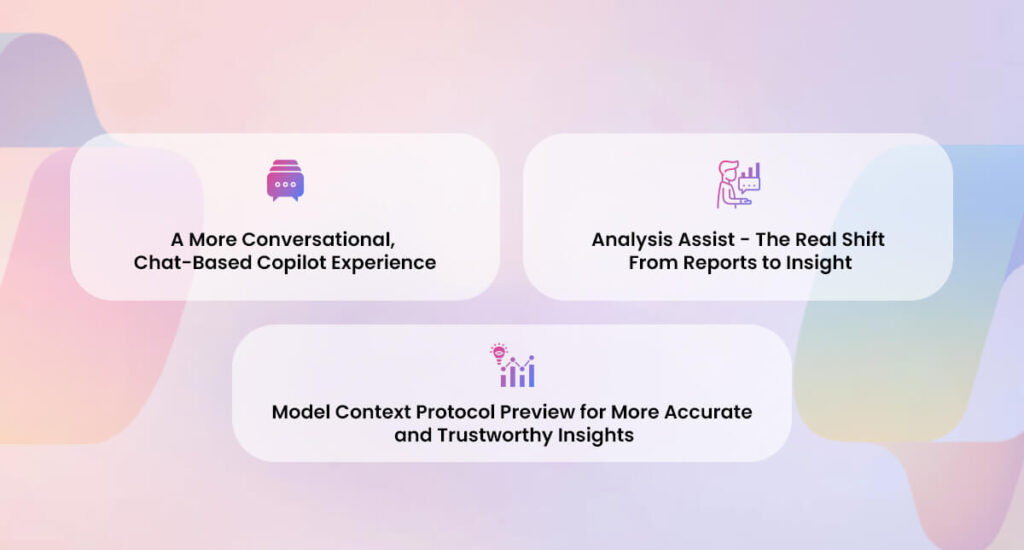
1. A More Conversational, Chat-Based Copilot Experience
Business Central Copilot now supports deeper natural language interaction, making it easier for users to ask questions the way they actually think about their business. This reflects how teams are increasingly using Copilot in Business Central to interact with ERP data in real time.
For finance and operations teams, this means:
- Asking questions instead of navigating ERP menus
- Refining insights through follow-up prompts
- Getting answers without knowing where data lives or how reports are structured
This conversational experience is delivered directly within Business Central through the Copilot chat interface, not through Microsoft 365 Copilot.
2. Analysis Assist – The Real Shift From Reports to Insight
Among all enhancements, Analysis Assist stands out as the most meaningful shift in how medium-sized businesses work with Business Central data.
Instead of starting with report configuration, users start with intent:
- What’s happening with cash flow
- Where margins are changing
- Which customers or projects need attention
Copilot interprets these questions, structures the underlying Business Central data, and surfaces insights that traditionally required predefined reports, manual exports, or spreadsheet analysis.
This is one of the most impactful Copilot features in Business Central, especially for finance and operations teams.
3. Model Context Protocol (MCP) – Enabling AI Agents to Work with Business Central Data
Microsoft has introduced the Model Context Protocol (MCP) Server as part of its broader AI foundation for Business Central, supporting more accurate and contextual AI-driven experiences. This also supports advanced Copilot capabilities in Business Central, enabling AI agents to work with structured ERP data.
In Business Central, MCP Server is available as an installable app, exposing Business Central APIs (and APIs from connected solutions) to AI agents so they can work directly with structured ERP data. For medium-sized businesses, this enables AI agents to retrieve data, apply business context, and support automation or analysis without manual data preparation.
MCP Server helps enable capabilities such as:
- Secure access to Business Central data for AI agents
- Automation of routine finance and operational tasks
- More contextual responses to ERP-related questions
While MCP Server operates behind the scenes, it plays an important role in ensuring AI interactions with Business Central are reliable, governed, and grounded in real ERP data. Together with Copilot and Analysis Assist, MCP Server helps form a trusted foundation for future AI and agent-based experiences in Business Central.
Read More: Tenant Copilot & Agent Factory
Why These Copilot Enhancements Matter Specifically for Medium-Sized Business Users
For small and mid-sized businesses, access to ERP data has never been a problem. The real challenge has been turning that data into insight without adding complexity, tools, or dependency on specialists.
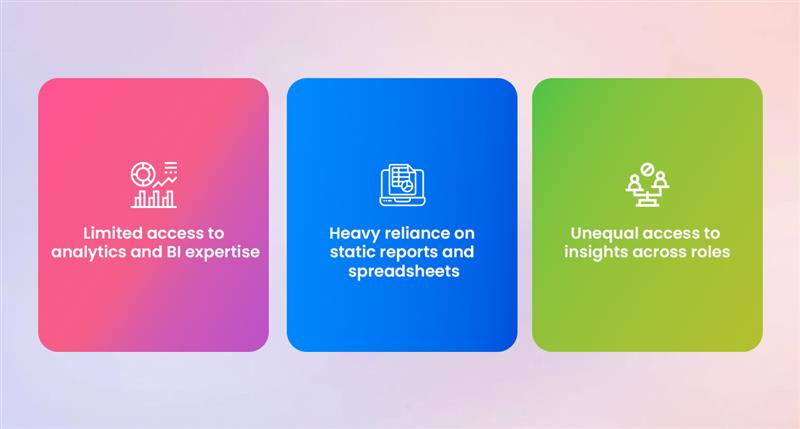
1. Limited access to analytics and BI expertise
Most teams do not have dedicated data analysts or BI teams. Finance and operations users are expected to interpret ERP data on their own, often with limited tools and time.
As a result:
- Insight requests pile up
- Decisions are delayed
- Reporting becomes a bottleneck rather than an enabler
2. Heavy reliance on static reports and spreadsheets
Despite using modern ERP systems, many teams still export data to Excel or rely on static reports to understand performance.
This leads to:
- Time-consuming manual analysis
- Increased risk of errors
- Insights that arrive after the moment for action has passed
3. Unequal access to insights across roles
In many organizations, only a small group of users can access or interpret meaningful ERP insights.
Copilot enhancements change this by:
- Allowing business users to ask questions directly
- Making insights accessible across finance, operations, and leadership
- Reducing dependency on technical users

How DynamicsSmartz Helps Businesses Turn Copilot Enhancements into Real Outcomes
Medium-sized businesses today aren’t struggling because they lack data or technology. They struggle because insight doesn’t always arrive when decisions are being made.
As a Microsoft Solutions Partner, DynamicsSmartz helps companies operationalize Dynamics 365 Business Central Copilot by focusing on:
- Data structure readiness
- Clear business rules and workflows
- Insight discovery aligned with real finance and operations processes
The goal isn’t feature activation. It’s adoption, consistency, and confidence.
By embedding insight discovery into everyday workflows, DynamicsSmartz helps mid-sized companies:
- Move faster without adding complexity
- Trust ERP insights during daily decision-making
- Stay ready as Business Central Copilot continues to evolve
This is how Copilot moves from being an AI feature to becoming a dependable decision layer inside Microsoft Dynamics 365 Business Central.
Overall, the Dynamics 365 Business Central Copilot features 2026 represent a major shift toward AI-driven ERP decision-making.
Get in touch with our experts to explore how Copilot AI in Business Central can transform your business operations.
Categories
- Upgrade
- United States
- United Arab Emirates
- Retail
- Power BI
- Partner Program
- Migration
- Microsoft Dynamics 365 Finance and Operations
- Microsoft 365 Copilot
- job costing software for electrical contractors
- Industry Updates And Events
- Implementation
- Finance and Operations
- Dynamics SL
- Dynamics NAV
- Dynamics GP
- Dynamics Business Central
- Dynamics 365 for Sales
- Dynamics 365 Field Service
- Dynamics 365 Customer Service
- Dynamics 365
- CRM and ERP
- Construction365
- Cloud Migration
- Canada
- Australia
- Artificial Intelligence
- AI Agents in Business
Recent Posts
- Frontier Transformation in Retail: When AI Moves from Insight to Action
- AI Agents in Microsoft 365 Copilot: The Future of Intelligent Business Automation
- Price Hiked, Value Locked: The Guide to Business Central Pricing in Australia
- From Dispatch to Invoice in Minutes: The Business Central Field Service Integration Built for Serious Service Companies
- Top Business Central Features Middle East SMEs Are Using to Pull Ahead